Visualization Snapshots
This page showcases examples of Larvaworld visualizations across different modes.
Figure: Visualization Snapshots
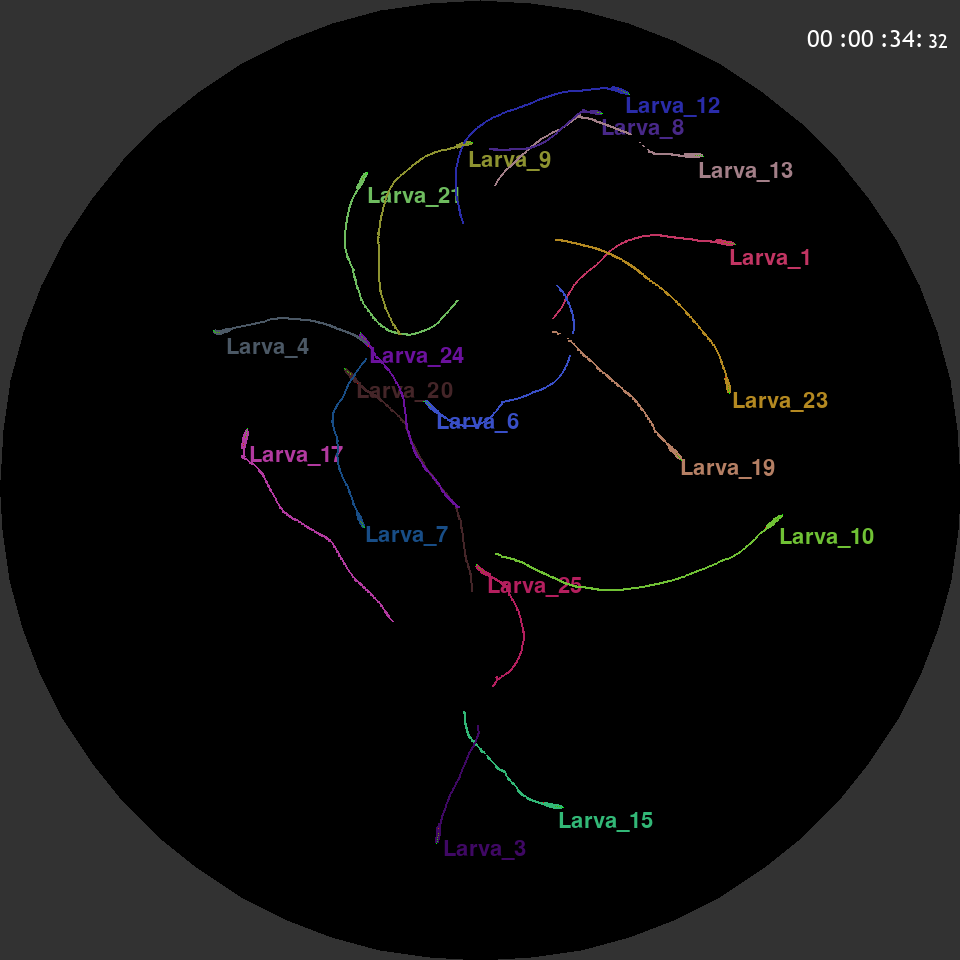
Figure: Replay mode with black background showing larva trajectories.
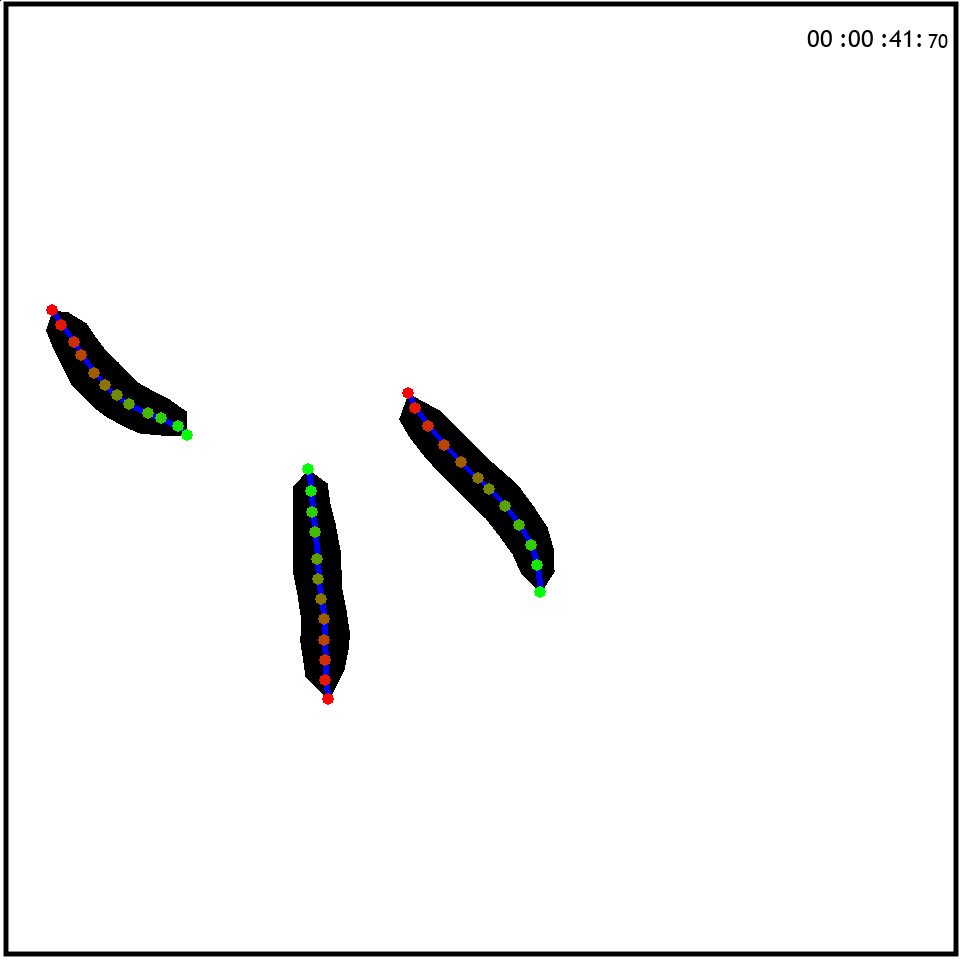
Figure: Zoomed view of individual larva with midline and contour.
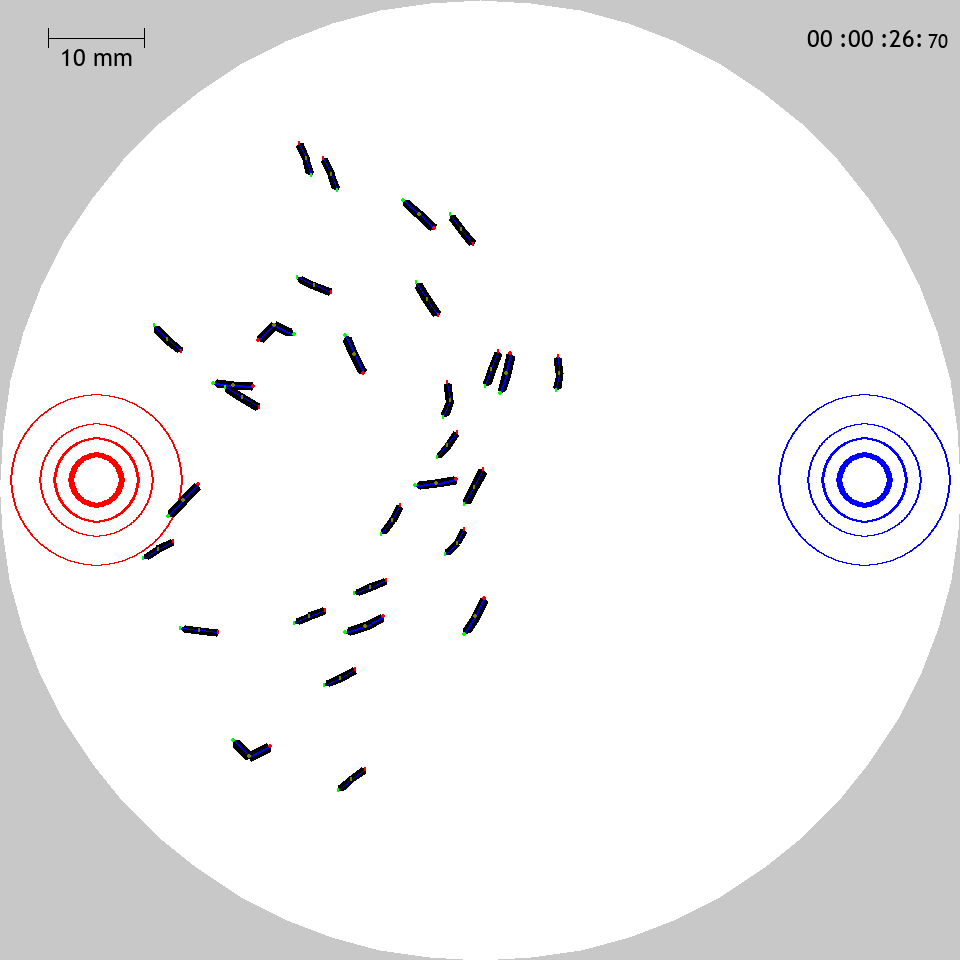
Figure: Olfactory preference test simulation showing larvae navigating between odor sources.
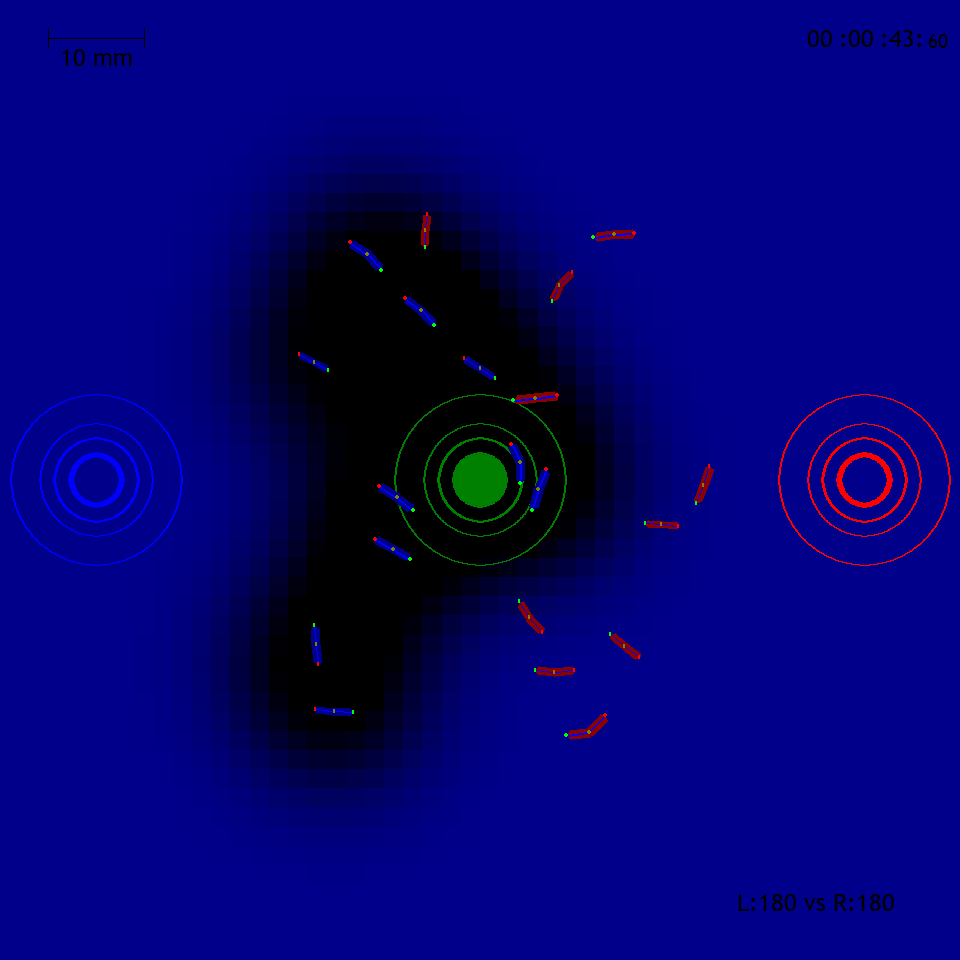
Figure: Multi-agent game simulation (“capture the flag”).
Visualization Modes
1. Real-Time Display
Purpose: Interactive exploration
from larvaworld.lib.sim import ExpRun

run = ExpRun(
    experiment="dish",
    N=10,
    duration=0.1,  # minutes (short demo)
    screen_kws={"vis_mode": "video"},
)
run.simulate()
Features:
Real-time rendering
Interactive controls (see Keyboard Controls)
Adjustable drawing options
2. Video Export
Purpose: Create videos for presentations
run = ExpRun(
    experiment="chemotaxis",
    N=20,
    duration=0.1,  # minutes (short demo)
    screen_kws={
        "vis_mode": "video",
        "save_video": True,
        "video_file": "chemotaxis",  # saved as {media_dir}/chemotaxis.mp4
        "fps": 10,
        # "media_dir": ".cache/docs_media",  # optional override (defaults to run.dir)
    },
)
run.simulate()
Supported Formats: MP4
3. Image Snapshots
Purpose: Save specific frames
run = ExpRun(
    experiment="dish",
    N=5,
    duration=0.1,  # minutes (short demo)
    screen_kws={
        "vis_mode": "image",
        "image_mode": "snapshots",
        "snapshot_interval_in_sec": 60,  # seconds between snapshots
        # "media_dir": ".cache/docs_media",  # optional override (defaults to run.dir)
    },
)
run.simulate()
Drawing Options
Midline
Shows the body midline:
screen_kws = {"draw_midline": True}
Contour
Shows full body outline:
screen_kws = {"draw_contour": True}
Trails
Shows trajectory history:
screen_kws = {"visible_trails": True, "trail_dt": 5.0} # 5 seconds
Color by Behavior
Colors indicate behavior state:
screen_kws = {"color_behavior": True}
Green: Running
Red: Paused
Blue: Turning